Enterprise IP Pool Allocation & PowerDNS Management
Manage dual-stack IPv4 and IPv6 address inventory across multi-node server clusters. Automate PowerDNS zone creation, enable self-service Reverse DNS (rDNS) PTR record management, enforce hypervisor MAC/IP anti-spoofing rules, and configure shared public IP NAT port forwarding.
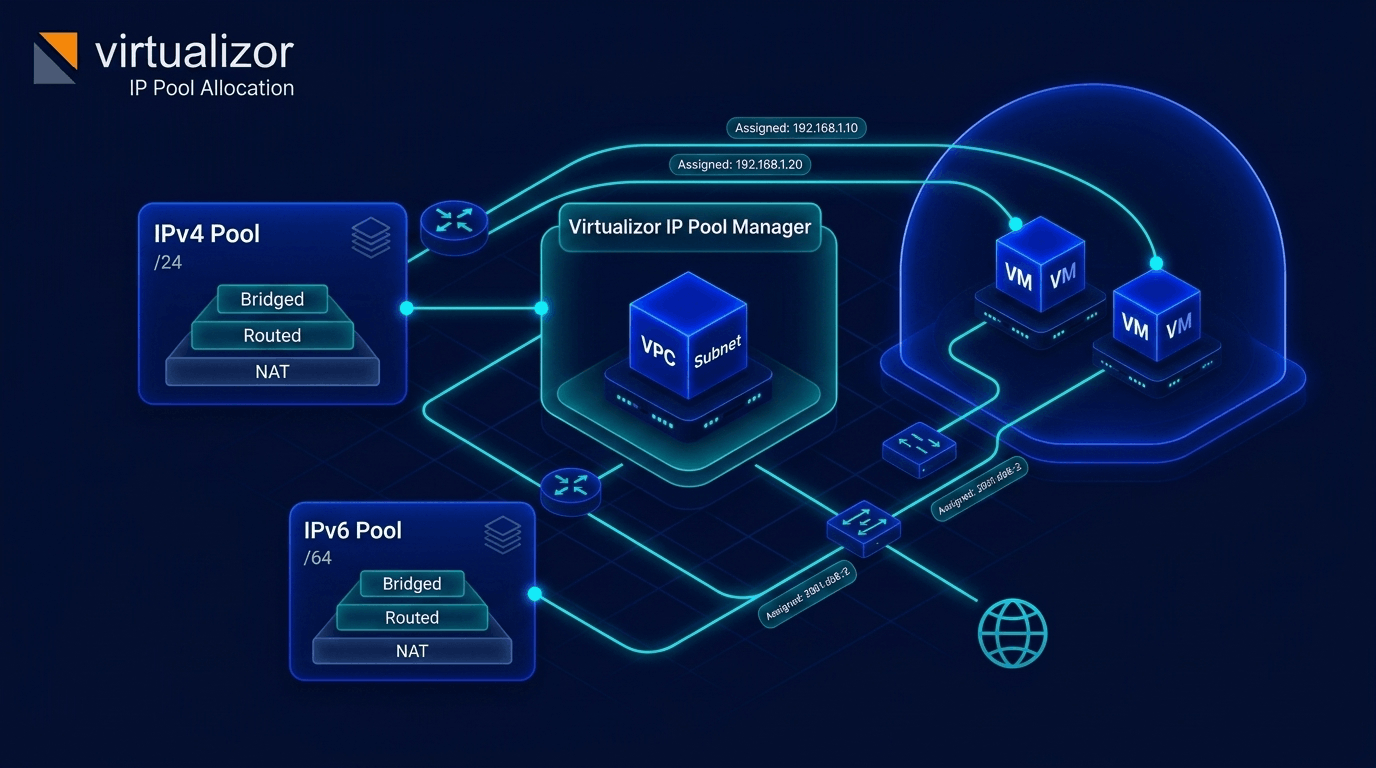
Dual-stack IP pool allocation & PowerDNS cluster integration
Organize public and private IP addresses into structured pools tied to specific nodes or cluster server groups. Virtualizor automates forward A/AAAA and reverse PTR record generation while giving endusers full self-service control over rDNS.
- Bridged, Routed & NAT Pools
- PowerDNS Cluster Database Sync
- Self-Service Client rDNS PTR Editor
- Hypervisor Anti-Spoofing Rules
Four network modes for any host environment
Configure IP pools to match your datacenter network topology, from public bridged subnets to private NAT environments.
1. Bridged Pools
Bind IP pools directly to physical host bridges (e.g. br0) or Open vSwitch (OVS) with optional 802.1Q VLAN tagging (VLAN IDs 1 to 4094).
2. Routed Subnets
Enable host routing mode (routing = 1) for datacenters requiring point-to-point or static host routes without Linux bridge interfaces.
3. Internal Pools
Create isolated private network pools (internal = 1) for internal VM-to-VM database links, storage networks, or VPC private subnets.
4. Shared NAT Pools
Configure shared public IP NAT pools (nat = 1) with automatic IP port forwarding for low-cost virtual machines on single-IP hosts.
PowerDNS cluster sync & enduser rDNS PTR editing
Connect Virtualizor directly to PowerDNS MySQL/MariaDB database clusters with SSL encryption and salted password storage.
When a VM is created or an IP is assigned, Virtualizor automatically generates forward A and AAAA records alongside reverse DNS PTR zones. Administrators set DNS Plans defining domain limits and default TTL values, while endusers manage rDNS PTR records directly inside the client portal or via WHMCS/Blesta API integrations.
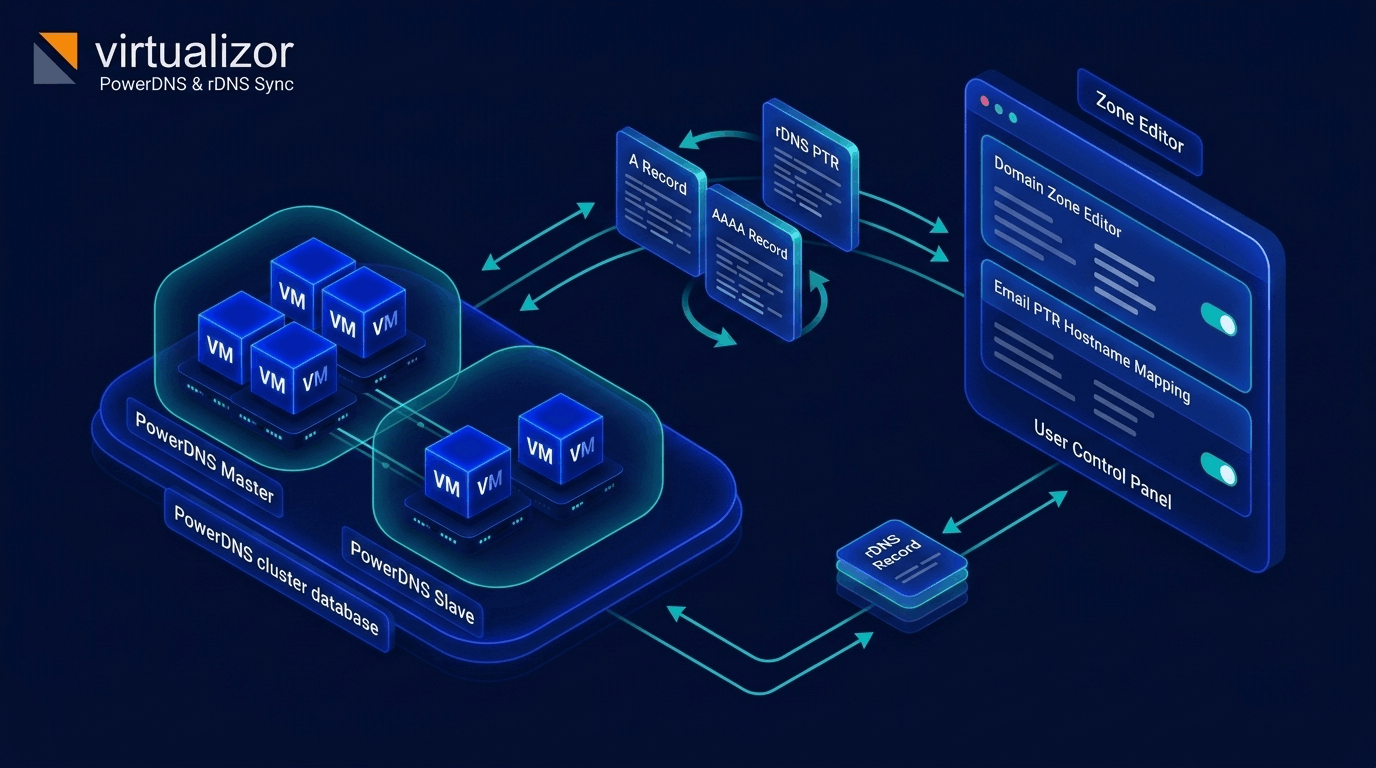
- PowerDNS MySQL SSL Sync
- Enduser rDNS PTR Self-Service
- Enduser Zone Editor (A, AAAA, MX, TXT)
- Admin DNS Plans (Quota & TTL)
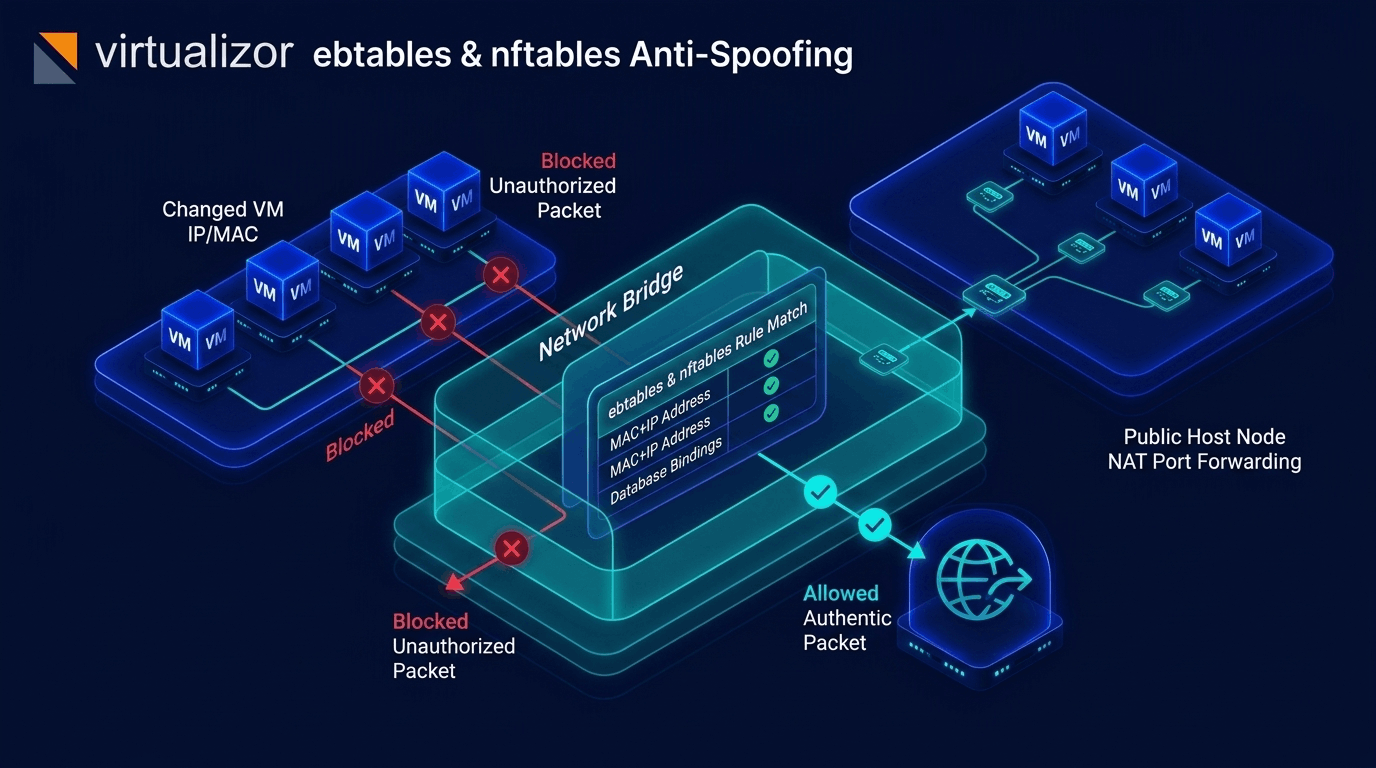
IPv6 subnet prefix engine & hypervisor anti-spoofing
Provision IPv6 address blocks and enforce hypervisor-level MAC/IP binding rules to protect network integrity.
The IPv6 subnet engine supports prefix netmasks from /48 down to /112 (with input netmasks from /32 to /108), calculating precise address blocks with 64-bit integer SQL storage. To prevent IP theft and ARP poisoning, Virtualizor generates hypervisor ebtables and iptables anti-spoofing rules that bind virtual interface MAC addresses strictly to assigned IP pools.
- IPv6 Subnets (/48, /64, /80, /96, /112)
- ebtables MAC/IP Spoof Guard
- IP Locking & Reservation
- IP Audit & Release History Logs
Four steps to automated IP & DNS orchestration
Provision IP address pools, attach DNS servers, and manage IP assignments across nodes.
1. Create IP Pool & Mode
Define IPv4 or IPv6 IP pools, set network mode (Bridged, Routed, Internal, NAT), gateway, netmask, MTU, VLAN tag (1-4094), and attach a PowerDNS cluster server (pdns_id).
2. Populate Ranges & Subnets
Add batch IPv4 IP ranges with optional static MAC pairings or allocate IPv6 subnet blocks (/48 to /112). Assign IPs or enable round-robin VM allocation.
3. Connect PowerDNS Cluster
Link PowerDNS MySQL database clusters with SSL. Virtualizor automatically generates A, AAAA, and PTR reverse DNS zones during VM provisioning.
4. Manage rDNS & Audit
Allow clients to update rDNS PTR records via panel or WHMCS, enforce MAC/IP anti-spoofing rules, and track IP assignment audit logs (ip_logs).
IP & DNS Management specifications
Technical specifications of Virtualizor's IP pool manager, PowerDNS integration, and anti-spoofing controls.
| Status | Surface / Feature | Capability & Technical Detail |
|---|---|---|
| IP Pool Types & Modes | IPv4 (/24, /28, /30) & IPv6 (/64, /48, /128) pools in Bridged (bridged to host/OVS), Routed (routing), Internal (internal), or NAT (nat) modes. |
|
| VLAN & OVS Integration | 802.1Q VLAN tagging (tags 1-4094), Linux bridge interfaces, and Open vSwitch (OVS) bridge mapping per IP pool. | |
| IPv6 Subnet Engine | Prefix netmask range calculation (/48, /64, /80, /96, /112) with input netmasks (/32-/108) and 64-bit integer SQL storage (inet6_expand / inet6_compress). |
|
| PowerDNS Cluster Sync | Direct PowerDNS MySQL/MariaDB cluster integration (pdns table), SSL database connection support, salted password encryption, and auto A/AAAA/PTR sync. |
|
| DNS Plans & Quotas | Admin-defined DNS Plans (dnsplans table) limiting max domain zones (max_domains), max records per domain (max_domain_records), and default TTL. |
|
| rDNS PTR Management | Admin & Enduser self-service Reverse DNS PTR record editing for all assigned primary & secondary IPv4/IPv6 addresses, with WHMCS/Blesta API integration (act=rdns). |
|
| Enduser Zone Editor | Full client portal DNS Zone Editor (managezone.php) supporting A, AAAA, CNAME, MX, NS, TXT, and SRV record creation and deletion. |
|
| Spoof Protection | Hypervisor bridge MAC/IP anti-spoofing rules (ebtables/iptables) matching static MAC addresses (mac_addr) to VM IP assignments. |
|
| NAT Port Forwarding | Shared public IP NAT port range mapping (nat_name) forwarding public host ports to private IPv4 guest VMs in IP-constrained nodes. |
|
| Logs, Locking & API | IP assignment & release audit logs (ip_logs table), IP locking (ips_locked), and REST API endpoints (addippool, addips, addiprange, addpdns, adddnsplan, managezone, rdns). |
Complete production networking architecture
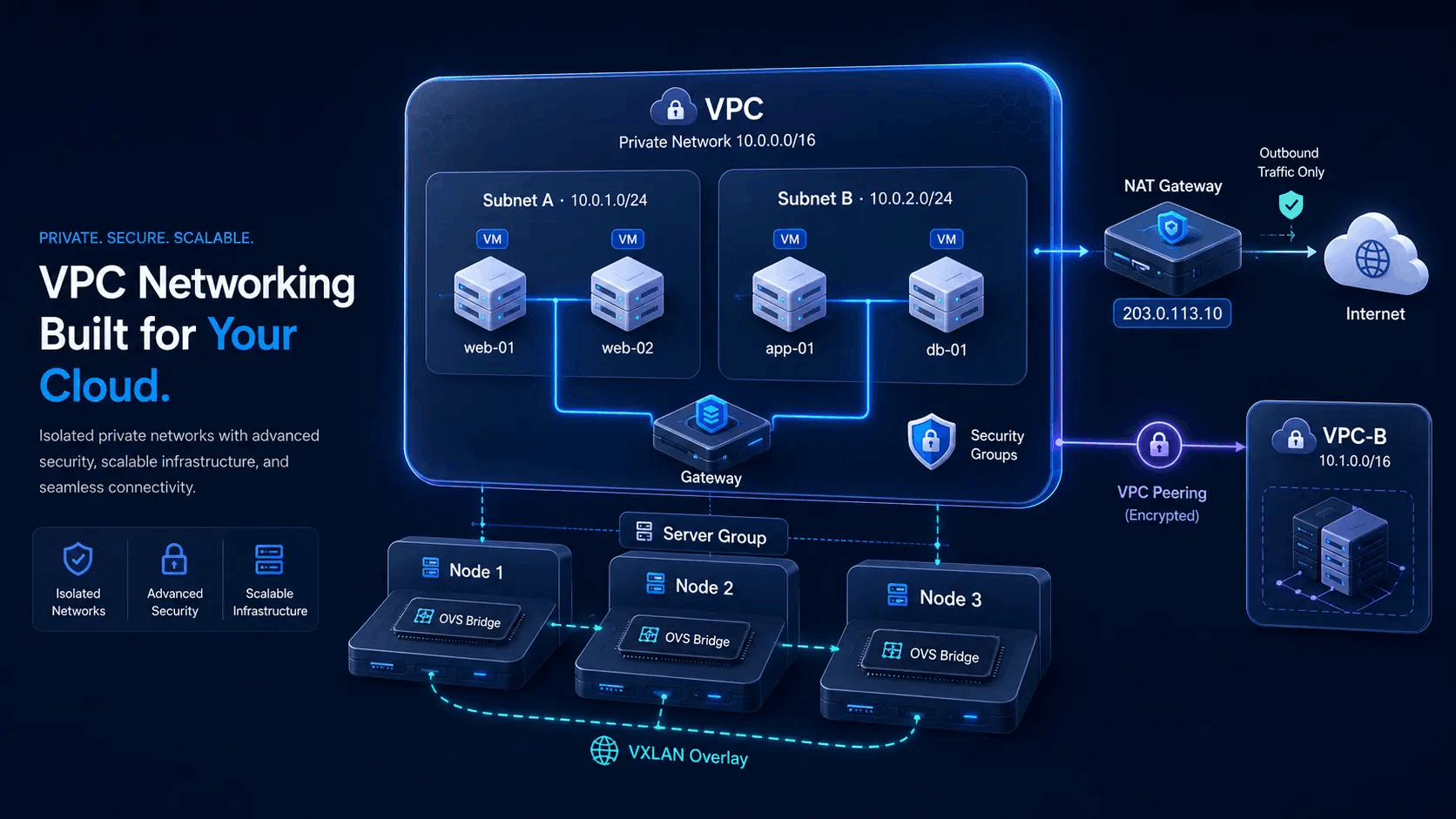
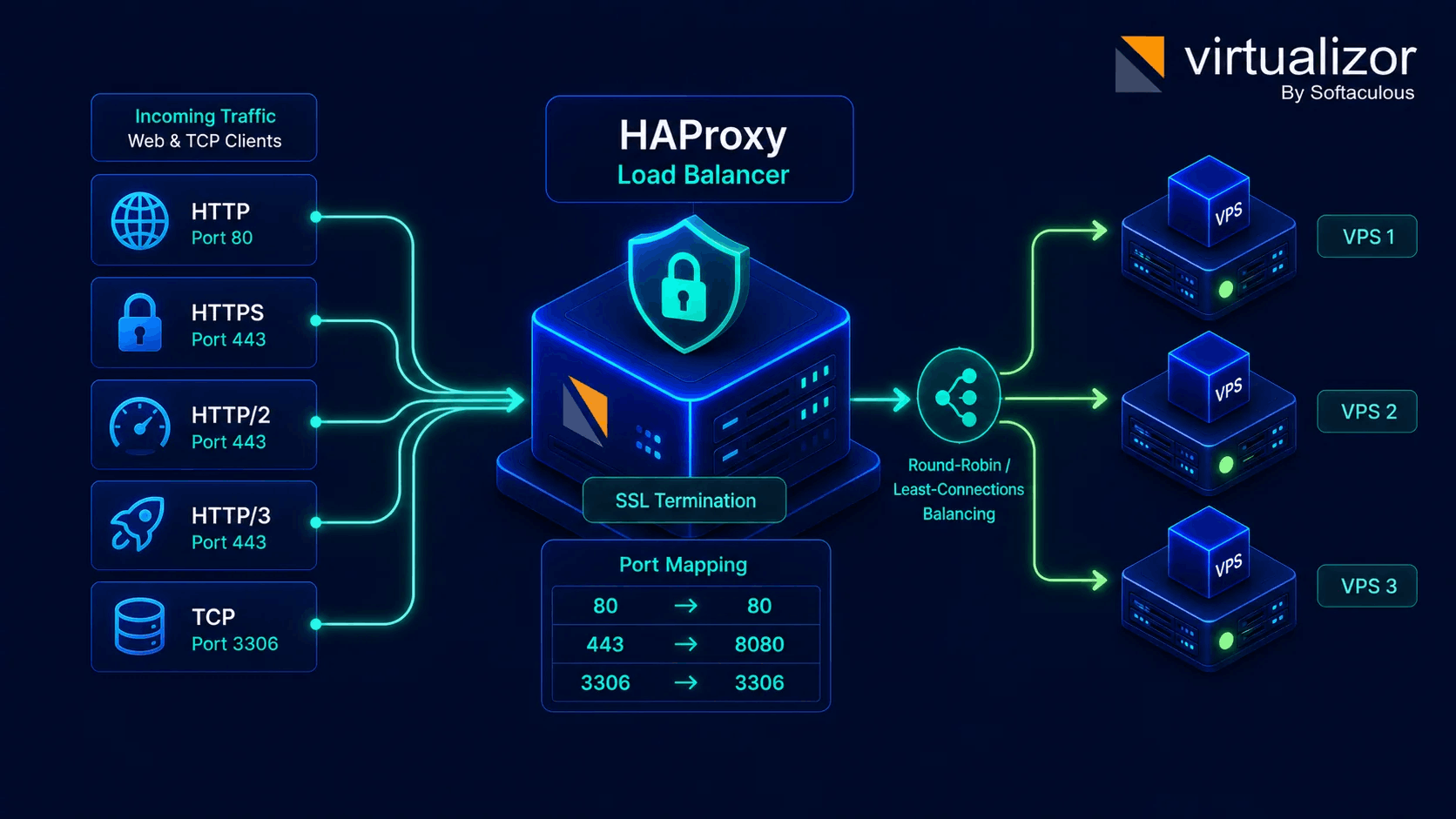
Combine IP Pool Management with software-defined VPC subnets and HAProxy Load Balancers for end-to-end cloud traffic routing.
VPC Overlay Subnets & Peering
Deploy private VPC networks with custom CIDR blocks, NAT gateways, floating public IPs, and security groups.
Explore VPC NetworkingHAProxy Load Balancer Routing
Map public IP listener ports to backend private-IP VPS pools with SSL termination and distribution algorithms.
Explore Load BalancerAdmin IP management, enduser rDNS control
Role-based control for IP pool configuration, DNS plans, and reverse DNS records across the platform.
System Administrators
- Create IPv4 & IPv6 address pools in Bridged, Routed, Internal, or NAT modes
- Connect PowerDNS database clusters & configure DNS Plans with domain/record quotas
- Enforce hypervisor MAC/IP anti-spoofing rules & assign public NAT port ranges
- Monitor IP pool utilization, lock sensitive IPs & audit IP assignment history (
ip_logs)
Endusers & Cloud Clients
- View assigned primary & secondary IPv4/IPv6 addresses and netmasks
- Update Reverse DNS (rDNS) PTR records for mail server IPs via panel or WHMCS
- Manage DNS zones & records (A, AAAA, CNAME, MX, NS, TXT, SRV) in Zone Editor
- Order additional IP addresses & inspect assigned NAT port ranges on shared IP VMs