Enterprise HAProxy load balancing & traffic management
Provision dedicated HAProxy Load Balancer nodes directly from Virtualizor. Route Layer 4 (TCP) and Layer 7 (HTTP, HTTPS, HTTP/2, HTTP/3) traffic, manage SSL/TLS termination with a reusable certificate store, monitor live HAProxy stats & logs, and configure host-level domain forwarding with automatic failover.

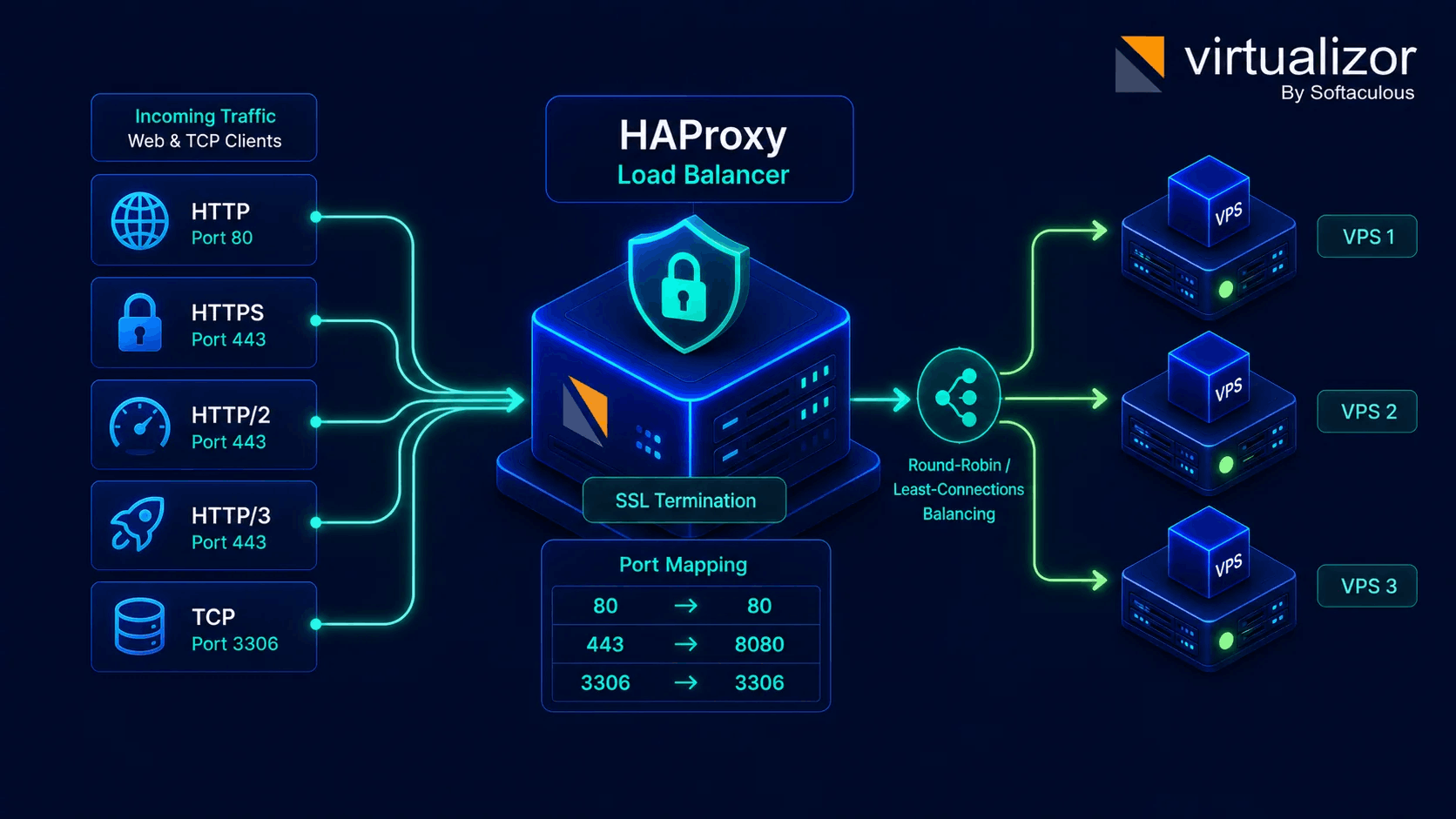
Dedicated load balancer nodes & backend VPS pools
Deploy HAProxy instances directly from Virtualizor to distribute web and TCP application traffic across pools of backend virtual machines.
- Layer 4 (TCP) & Layer 7 (HTTP/HTTPS/HTTP2/HTTP3) proxying
- Source-to-destination port mapping rules (e.g., 80→80, 443→8080, 3306→3306)
- SSL/TLS termination with 1-click self-signed or custom certificate upload
- Reusable certificate store across multiple load balancing rules
Four simple steps from listener to backend pool
Provision HAProxy load balancing instances and forwarding rules directly inside Virtualizor.
1. Provision LB Node
Create a dedicated Load Balancer VM instance or configure host-level HAProxy domain forwarding for shared IP nodes.
2. Define Protocol & Ports
Select source protocol (HTTP, HTTPS, HTTP/2, HTTP/3, TCP) and map source ports to target destination ports.
3. Configure SSL & Certs
Generate self-signed SSL certs in 1-click, upload custom CRT/KEY/Chain, or reuse existing certificates from the store.
4. Attach VPS Pool & Monitor
Assign backend target VMs. Virtualizor runs automated health checks, logs connections, and reroutes traffic on failure.
Enterprise traffic management
Full control over load distribution algorithms, SSL certificate storage, live analytics, and host NAT forwarding.
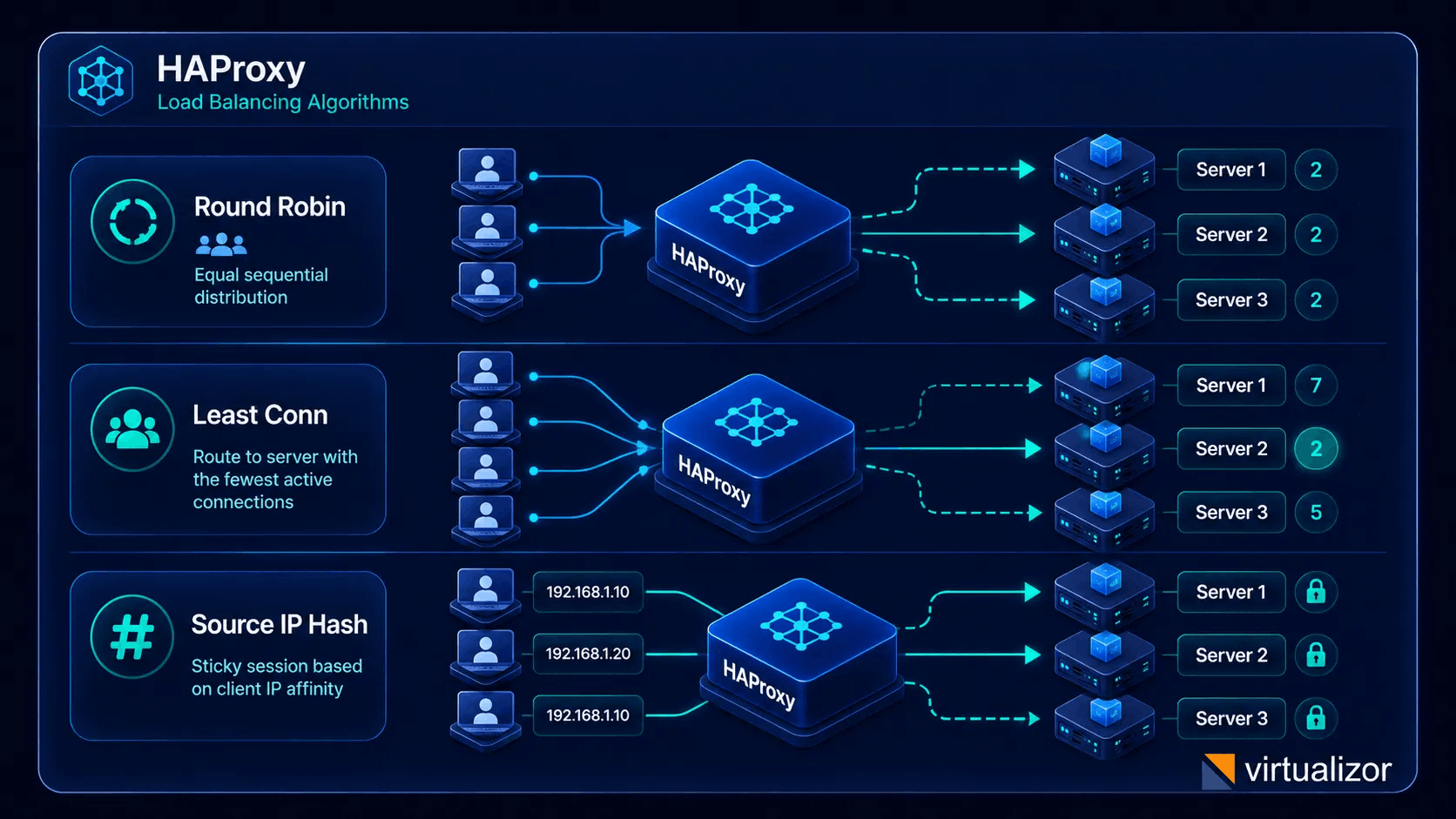
HAProxy distribution algorithms
Configure HAProxy algorithm rules tailored to your application traffic - Round Robin for web pools, Least Connections for heavy database queries, or Source IP Hash for sticky user sessions.
- Round Robin (roundrobin) sequential routing
- Least Connections (leastconn) active request balancing
- Source IP Hash (source) sticky session affinity
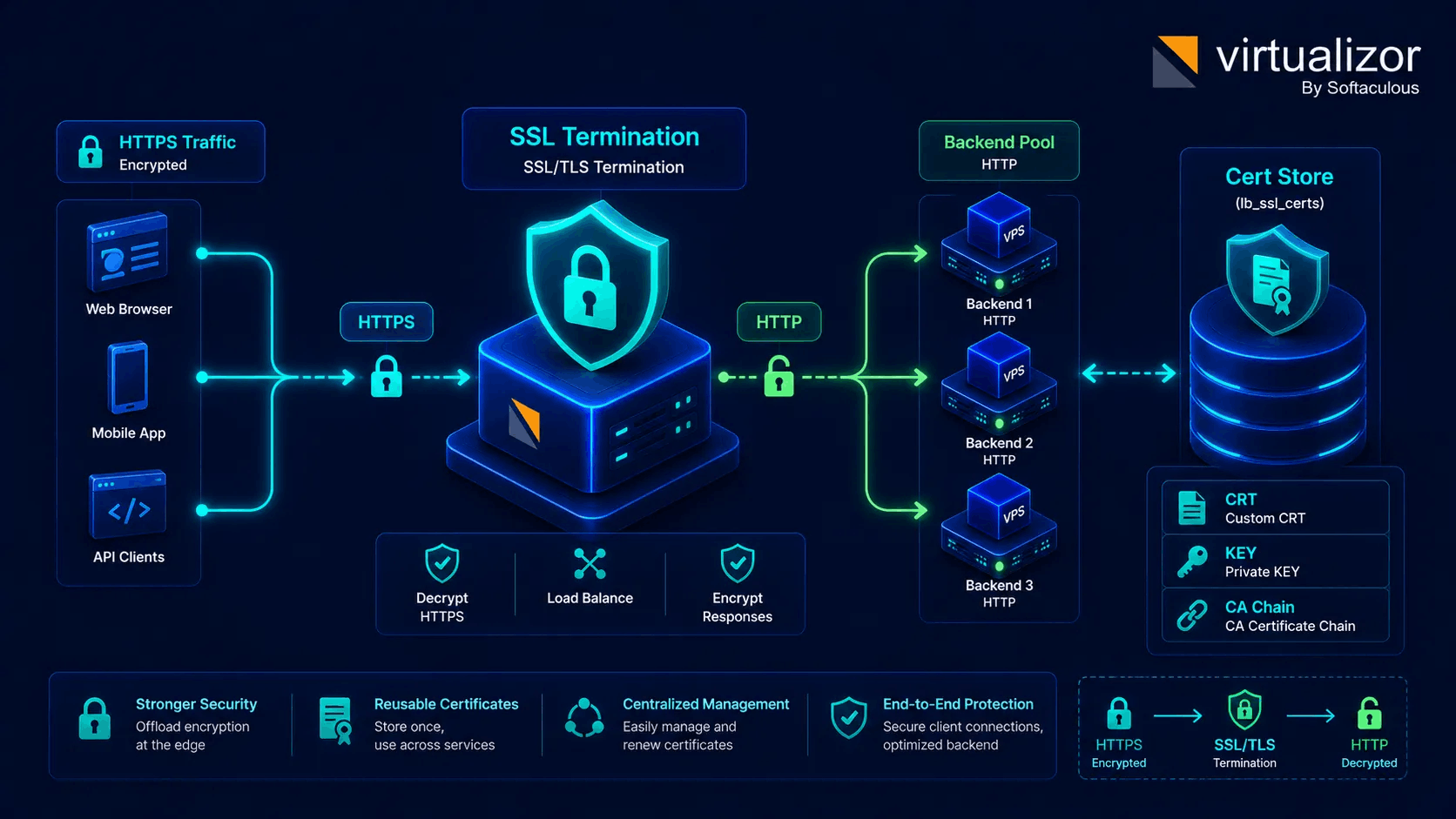
SSL/TLS termination & cert store
Offload SSL encryption at the load balancer to free CPU resources on backend VMs. Auto-generate self-signed certs or upload custom certificates to the central reusable store.
- 1-Click Auto Self-Signed SSL generation
- Custom CRT, Private KEY & CA Chain upload
- Reusable SSL Certificate Store (lb_ssl_certs DB)
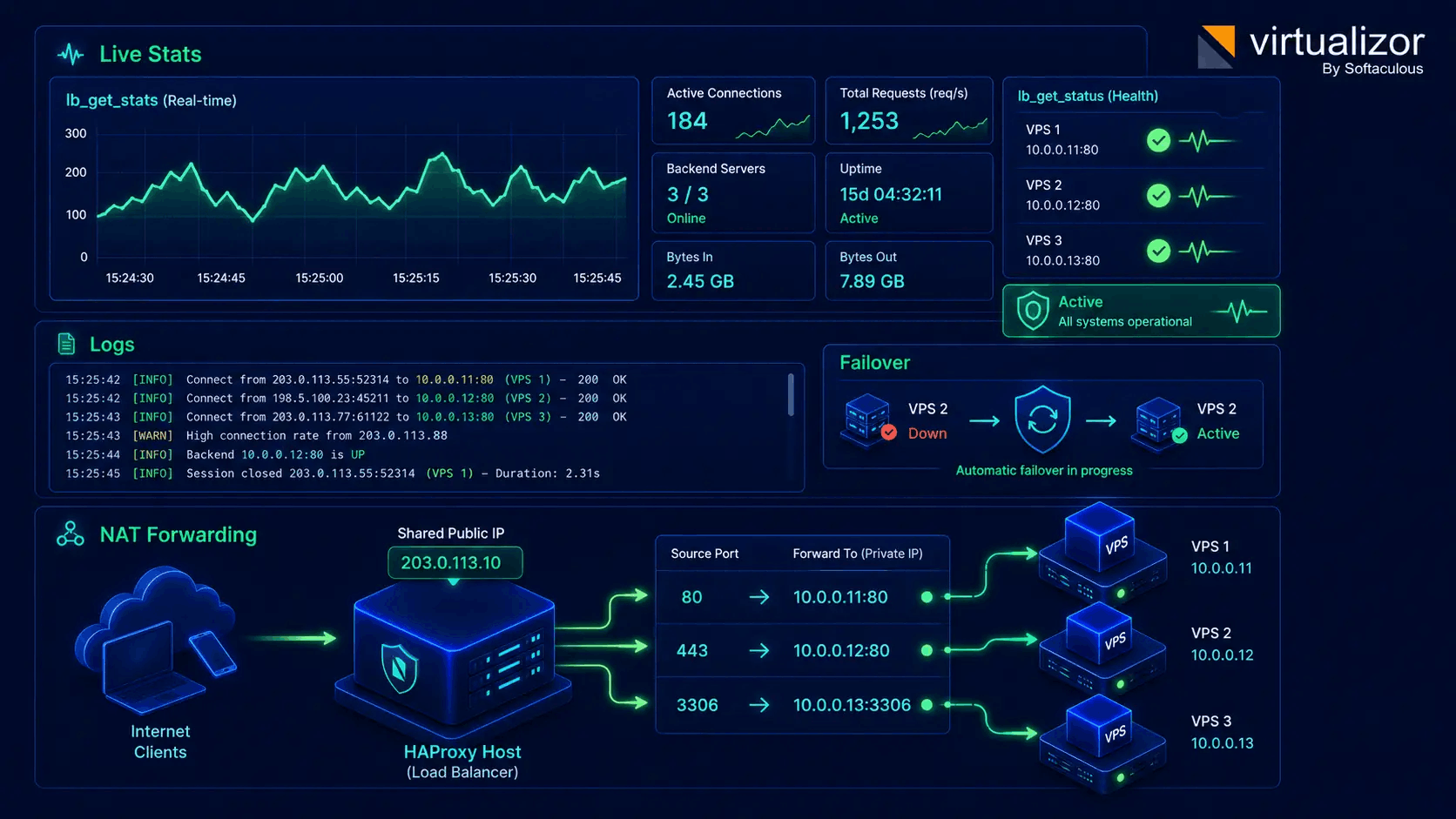
Live HAProxy stats, logs & NAT forwarding
Inspect real-time HAProxy traffic throughput, active connections, and live logs directly inside the panel. Support host-level domain forwarding (NAT) for private-IP VPSs.
- Real-time HAProxy traffic stats (lb_get_stats)
- Live connection log stream (lb_get_logs) & health checks
- VPS Domain Forwarding & NAT for shared public IPs
Virtualizor Load Balancer specifications
Technical details of Virtualizor's HAProxy load balancing engine and traffic management features.
| Status | Surface / Feature | Capability & Technical Detail |
|---|---|---|
| Core Engine | Dedicated HAProxy Load Balancer VM nodes & Host-level HAProxy Domain Forwarding (NAT). | |
| Supported Protocols | Layer 4 (TCP) and Layer 7 (HTTP, HTTPS, HTTP/2, HTTP/3) traffic proxying & port mapping rules. | |
| Balancing Algorithms | Round Robin (roundrobin), Least Connections (leastconn), and Source IP Hash (source) sticky sessions. | |
| SSL/TLS Management | 1-Click self-signed SSL certs, custom CRT/KEY/Chain upload, and central Reusable SSL Cert Store (lb_ssl_certs). | |
| Stats, Logs & Health | Real-time HAProxy live stats (lb_get_stats), live connection logs (lb_get_logs), and automated health failover (lb_get_status). | |
| Billing & Automation | Inhouse Billing & WHMCS/Blesta plan limits (load_balancer), Admin & Enduser UI, and full REST API endpoints. |
Complete production cloud architecture
Combine Virtualizor Load Balancers with private VPC networks and High Availability clusters for resilient, zero-downtime infrastructure.
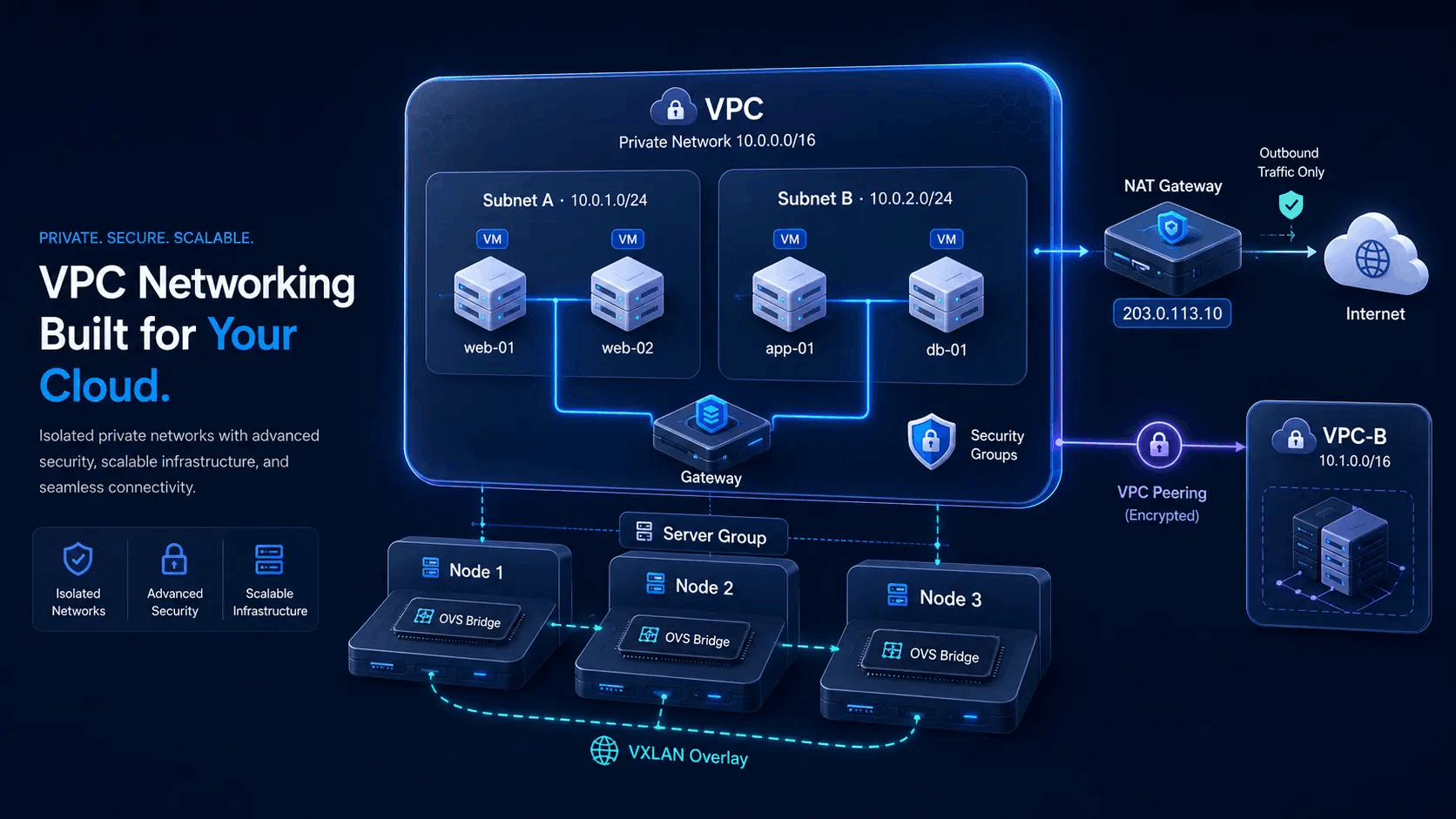
VPC Private Subnet Isolation
Deploy HAProxy balancers inside isolated VPC networks with private CIDR subnets, floating public IPs, NAT gateways, and security groups.
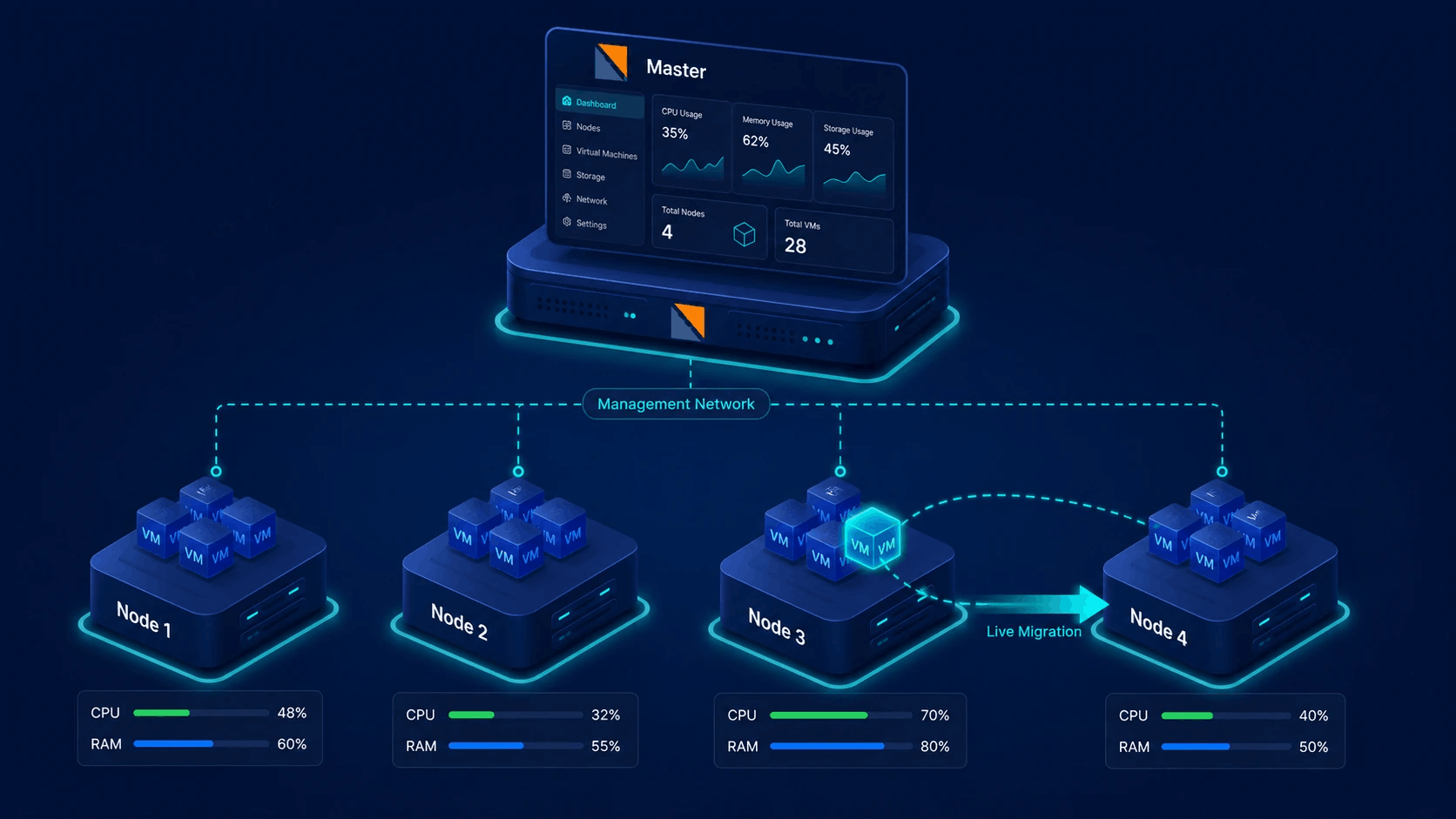
Explore VPC NetworkingHigh Availability & Multi-Node Failover
Combine HAProxy balancing with Virtualizor Master/Slave node clusters for automated failover and zero-downtime maintenance.
Explore Clustering & HAAdmin infrastructure, enduser self-service
Role-based management for HAProxy load balancers and domain forwarding across the platform.
System Administrators
- Enable load balancer quotas in user billing plans & ACL permissions
- Configure host-level HAProxy Domain Forwarding & source IP pools
- Manage global HAProxy node deployments & server group assignments
- Monitor cluster-wide load balancer traffic, stats, and system logs
Endusers & Cloud Clients
- Deploy Load Balancer VM instances directly from the self-service portal
- Configure source/destination port rules & distribution algorithms
- Manage SSL certs via 1-click self-signed or custom cert store
- View real-time HAProxy traffic stats, connection logs, and VM health