
All ISOs are stored in /var/virtualizor/iso You can use Virtualizor's inbuilt ISO downloader or you can do it via the command line.
Using the Panel
You can download iso from your link.
Notes : This needs to be done from your Master panel.
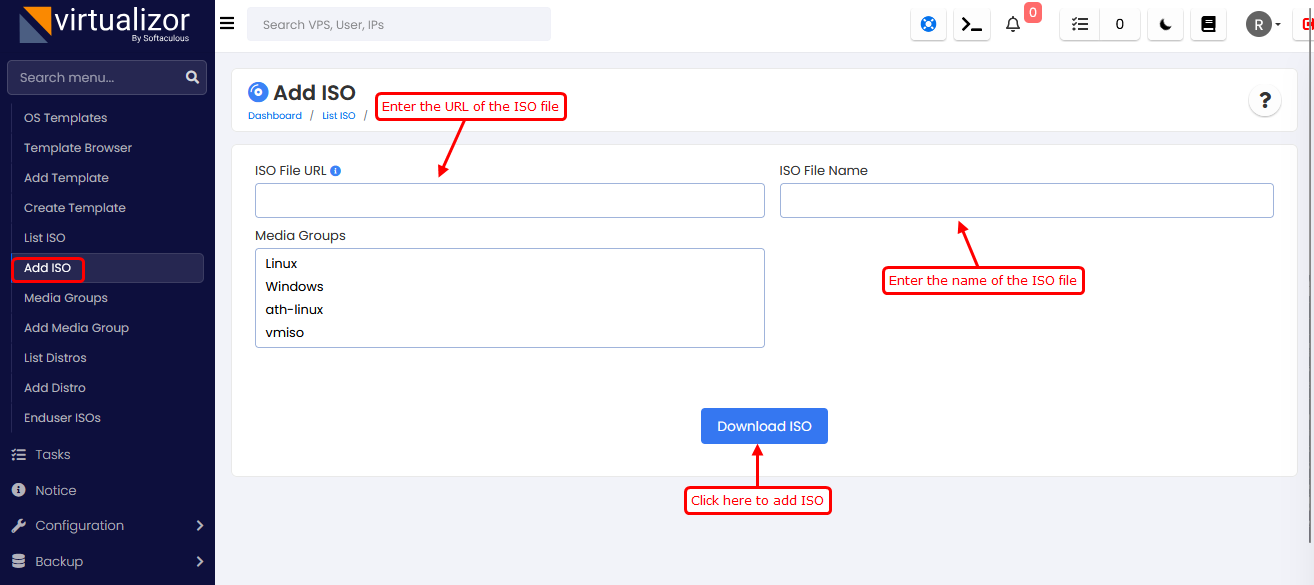
To Add ISO, First click on "Media -> Add ISO" and fill up the "ISO File URL" and "ISO File Name" and then click on "Download ISO".
Using the Command line
If you already have ISO present in /var/virtualizor/iso directory,.
then go to Admin panel click on "Media -> Add ISO" and just fill up the "ISO File Name"
and then click on "Download ISO".